Air-Gapped Cold Storage: Architecting Isolated Workstations for High-Risk Whistleblower Dossiers
How to engineer physically isolated, air-gapped computers: removing internal wireless modems, defeating acoustic side-channel data exfiltration, and managing cryptographic data diodes.
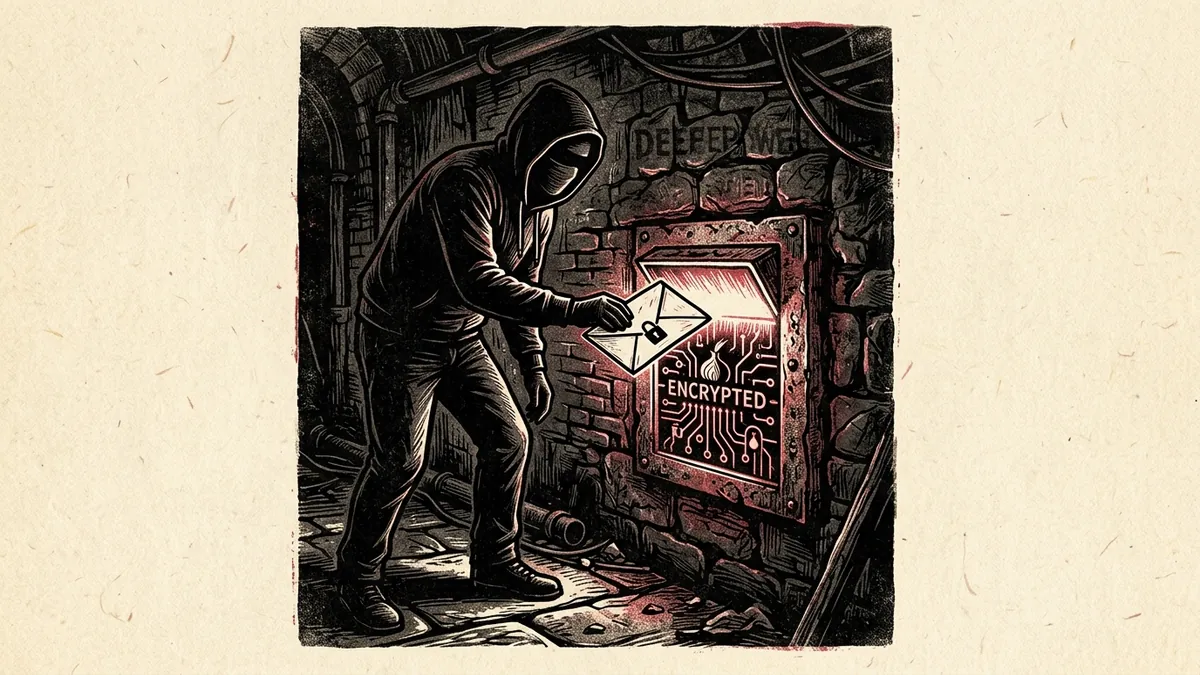
When an investigative publication receives a massive, sensitive cache of leaked documents—such as classified state cables, diplomatic surveillance logs, or corporate financial crime dossiers—connecting the storage drive to an internet-connected computer is an unacceptable operational risk.
Commercial operating systems autonomously parse document thumbnails, transmit diagnostic telemetry to cloud servers, and provide pathways for state surveillance malware to exfiltrate encryption keys.
To ensure that confidential disclosures can never be intercepted, corrupted, or deleted remotely, investigative teams deploy Air-Gapped Cold Storage Workstations.
An “air gap” is not merely unplugging an ethernet cable or turning off a Wi-Fi toggle in software. It is a rigorous physical and cryptographic discipline: operating a dedicated computer that has never been connected to the internet, possesses no internal wireless or Bluetooth circuitry, and interacts with the outside world exclusively through cryptographically verified, one-way data transfer protocols.
This manual provides an architectural blueprint for building, provisioning, and operating an air-gapped investigative workstation that withstands state-level electronic interception.
1. The Physics of the Air Gap: Defining the Perimeter
An air-gapped computer is a physical computer separated from any network by a physical barrier of ambient air:
                                  THE AIR-GAP BARRIER
                                           │
       [INTERNET-CONNECTED LAPTOP]         │         [AIR-GAPPED COLD VAULT]
       • Downloads raw leak via Tor        │         • Never touches internet
       • Validates PGP signatures          │         • No Wi-Fi / Bluetooth hardware
       • Scans for basic macro malware     │         • Decrypts master source files
                     │                     │                     ▲
                     └─────────────► [DATA DIODE] ───────────────┘
                                  (One-Way Physical Bridge)
The Three Absolute Hardware Rules:
- Never Connected: The machine must be built from a clean, newly purchased laptop or desktop that has never once touched an ethernet cable, Wi-Fi network, or cellular hotspot from the moment it was removed from its packaging.
- Physical Wireless Hardware Removal: Software toggles can be overridden by malicious firmware exploits. The internal Wi-Fi/Bluetooth M.2 PCI-e card must be physically removed from the motherboard using a screwdriver.
- Dedicated Peripheral Ecosystem: Keyboards, mice, and display monitors connected to the air-gapped machine must never be connected to an internet-linked machine, preventing peripheral firmware reprogramming attacks.
2. Covert Side-Channels: How Air Gaps are Breached
State intelligence agencies (such as the NSA or Israel’s Unit 8200) have developed sophisticated techniques to exfiltrate data across physical air gaps. Understanding these covert channels dictates how a newsroom isolates its physical workspace:
┌────────────────────────────────────────────────────────────────────────┐
│                   AIR-GAP COVERT EXFILTRATION VECTORS                  │
├────────────────────┬────────────────────┬──────────────────────────────┤
│ 1. ACOUSTIC (SOUND)│ 2. ELECTROMAGNETIC │ 3. OPTICAL (LIGHT)           │
│ Malware modulates  │ Internal GPU cables│ Malware blinks keyboard LED  │
│ internal CPU fans  │ emit high-frequency│ lights in Morse/binary,      │
│ to transmit data in│ radio signals      │ captured by a compromised    │
│ ultrasonic frequencies. (AirHopper / TEMPEST). smartphone camera.      │
└────────────────────┴────────────────────┴──────────────────────────────┘
Mitigations:
- The Microphone & Speaker Kill: Physically desolder or clip the internal microphone and speaker cables on the laptop motherboard. If a system has no physical audio transducers, it cannot emit or receive ultrasonic acoustic signals.
- Faraday Workspace Enclosure: Place the air-gapped laptop inside a certified RF-shielding Faraday room, tent, or lined briefcase during active analysis to prevent radio frequency emissions from leaking across office walls.
- Camera Masking: Keep all internet-connected smartphones, smartwatches, and tablets completely outside the secure room where the air-gapped machine is operating to prevent optical and acoustic side-channel recording.
3. Provisioning the Workstation: The Clean Build Process
How do you install an operating system on a computer that cannot connect to the internet?
[VERIFIED CLEAN COMPUTER] ──► [DOWNLOAD LINUX ISO] ──► [VERIFY GPG SIGNATURE] ──► [BURN READ-ONLY DVD] ──► [INSTALL ON AIR-GAP]
Step 1: Procure the Hardware
Select a reliable, repairable laptop with easily accessible internal components (e.g., an older Lenovo ThinkPad T480 / X230 with coreboot/libreboot firmware capabilities). * Disassemble the bottom chassis. * Unscrew and physically remove the Intel or Realtek Wi-Fi/Bluetooth PCIe card. * Disconnect the webcam and microphone ribbon cables from the display lid.
Step 2: Burn Read-Only Installation Media
On an internet-connected, trusted computer: * Download an LTS release of a minimal security Linux distribution (such as Debian Stable or Qubes OS Standalone). * Verify the official SHA-256 checksum and developer GPG signature. * Burn the installation image onto a write-once optical DVD-R using an external USB DVD drive. * Why DVD-R? Unlike USB flash drives—which contain internal microcontroller firmware that can be rewritten with malicious bootloader rootkits (BadUSB)—a burned DVD-R is physically immutable.
Step 3: Enforce Full-Disk Encryption (LUKS2)
During installation on the air-gapped laptop: * Partition the internal drive with LUKS2 (Linux Unified Key Setup) utilizing AES-XTS-PLAIN64 encryption with a 512-bit key. * Establish a high-entropy passphrase containing at least 24 characters (e.g., a Diceware passphrase). * Set PBKDF2 / Argon2id hashing parameters to maximize brute-force calculation costs.
4. The One-Way Ingest Protocol: The Optical Data Diode
The most dangerous moment in air-gapped operation is transferring leaked files into the secure environment. If a reporter inserts an infected USB flash drive into the air-gapped machine, the machine’s security is compromised.
To guarantee security, newsrooms construct One-Way Optical Data Diodes:
                       HARDWARE OPTICAL DATA DIODE
                                    │
    [INTERNET STAGING LAPTOP]       │       [AIR-GAPPED COLD VAULT]
    • Connects to USB DVD burner    │       • Connects to read-only DVD drive
    • Burns leak files to DVD-R     │       • Reads DVD-R in local RAM
    • Media ejected and discarded   │       • Zero data can physically flow
                                    │         backward from vault to internet!
The Ingest Workflow:
- Quarantine Ingest: The raw leak arrives via SecureDrop or encrypted PGP email. It is downloaded onto an isolated, internet-connected quarantine laptop.
- Burn to Physical Optical Media: The files are burned onto a single-session DVD-R or CD-R. The disc session is permanently closed.
- One-Way Transfer: The physical disc is moved into the air-gapped secure room and inserted into the air-gapped laptop’s optical drive.
- Permanent Separation: Because an optical laser reader cannot physically write data back onto a closed DVD-R, data can flow only in one direction (into the vault). It is physically impossible for the air-gapped machine to leak data back onto the disc.
5. Cold Storage Archive Maintenance: The 3-2-1 Rule
An air-gapped archive must be defended against both digital intrusion and physical hardware failure:
┌────────────────────────────────────────────────────────────────────────┐
│                   AIR-GAPPED ARCHIVAL REDUNDANCY (3-2-1)               │
├────────────────────┬────────────────────┬──────────────────────────────┤
│ 3 COPIES           │ 2 DIFFERENT MEDIA  │ 1 GEOGRAPHICALLY OFF-SITE    │
│ Maintain at least  │ Store one on SSD,  │ Keep one encrypted clone in  │
│ three identical    │ one on archival    │ a secure bank safety deposit │
│ encrypted replicas.│ M-DISC optical.    │ vault in another jurisdiction.│
└────────────────────┴────────────────────┴──────────────────────────────┘
Optical M-DISC Long-Term Preservation
Standard flash drives and magnetic hard drives suffer from “bit rot” and magnetic charge decay over 5 to 10 years. For permanent historical archives: * Burn master document dossiers onto Millenniata M-DISCs (archival optical Blu-rays). * M-DISCs utilize an inorganic stone-like recording layer impervious to light, heat, and moisture, certified to preserve digital bits for up to 1,000 years.
By constructing a disciplined, physically validated air gap, investigative publications ensure that no matter how powerful a hostile state adversary may be, the truth entrusted to them remains safe.
How to Build and Operate an Air-Gapped Cold Storage Workstation
Blueprint for physically isolating high-risk whistleblower dossiers from wireless, acoustic, and network surveillance.
- Physically Remove Internal Wireless and Bluetooth Hardware: Disassemble laptop chassis and remove the M.2 PCIe wireless card from the motherboard.
- Install Linux with Full-Disk LUKS2 Encryption from Read-Only Media: Burn verified OS images onto write-once DVD-R media to eliminate BadUSB rootkit risks.
- Implement One-Way Optical Data Diodes for Ingest: Transfer files into the air-gapped machine exclusively using closed-session optical discs.
- Isolate Workspace from Acoustic and Electromagnetic Covert Channels: Remove internal microphones, operate inside Faraday enclosures, and ban mobile phones from the room.
Frequently Asked Verification Questions
Key technical principles, error traps, and diagnostic standards for investigative researchers.
Why is a burned DVD-R safer for transferring leaks to an air-gapped laptop than a USB flash drive?
What are acoustic and optical side-channel attacks on air-gapped computers?
Generate PGP Keys & Decrypt Offline in Memory
Encrypt and decrypt whistleblower communications in local browser RAM using client-side OpenPGP without network dependencies.
About the Contributor
The Dawat Forensic Research Desk specializes in open-source investigative intelligence, conflict zone media verification, and digital human rights documentation.
Related Research & Dispatches
How to Install Tails OS on a USB Flash Drive: The Complete Setup & Persistent Storage Guide
A step-by-step technical walkthrough for creating a cryptographic Amnesic Incognito Live System (Tails) USB dr...
How to Tell if Your Phone is Tapped: The Technical Guide to Detecting Spyware, IMSI-Catchers, and Surveillance
A forensic diagnostic manual for uncovering commercial stalkerware, state-grade spyware like Pegasus, rogue ce...
YubiKey vs Google Titan: The Technical Hardware Security Key Comparison
An architectural and cryptographic comparison of YubiKey 5 Series vs Google Titan Security Keys for FIDO2 pass...