Burner Hardware and SIM Swapping Defense: Field Protocols for Hostile Operational Environments
An operational field guide to cellular radio isolation: procuring anonymous burner devices, neutralizing baseband processor tracking, and hardening telecom accounts against SIM swapping.
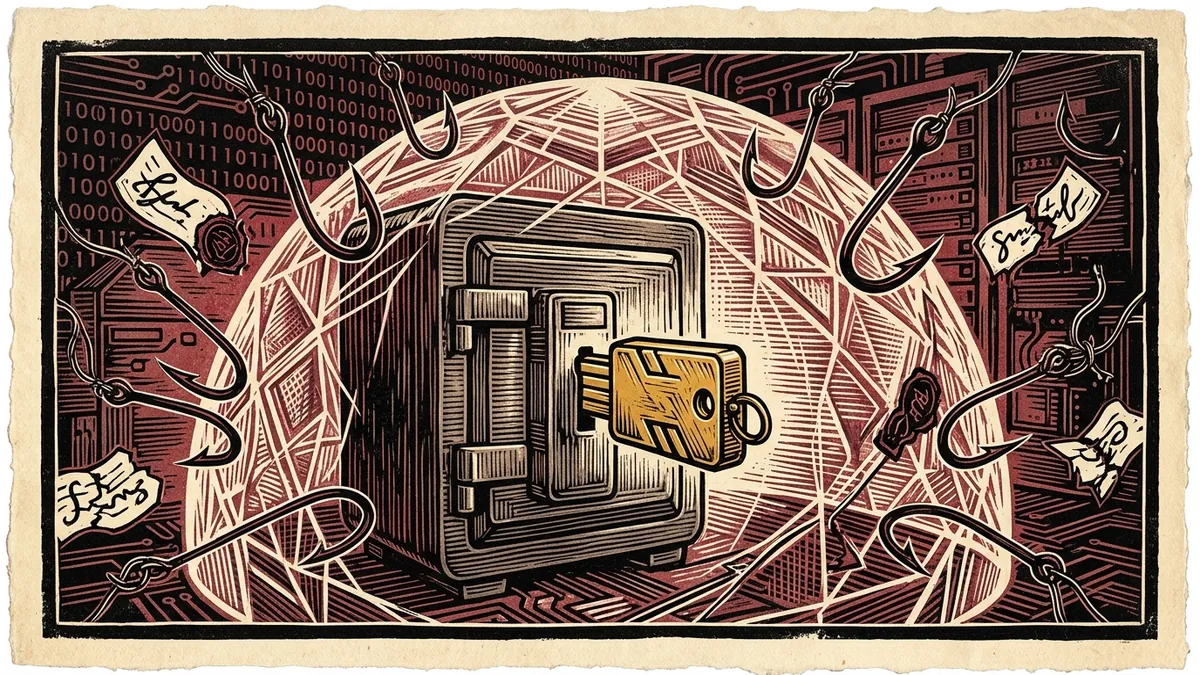
A smartphone is fundamentally an unshielded, continuously broadcasting tracking beacon. Every few seconds, the mobile baseband radio inside your phone negotiates with surrounding cellular towers, broadcasting unique hardware identifiers that reveal your exact geographic position to mobile network operators, intelligence agencies, and commercial location data brokers.
For investigative journalists meeting whistleblowers in the field or reporting in hostile surveillance environments, relying on a personal smartphone—even one with location services “turned off”—is a catastrophic operational error.
Furthermore, state adversaries and sophisticated cybercrime cartels routinely deploy SIM swapping attacks—bypassing telecom customer service verification to hijack journalists’ phone numbers, intercept two-factor SMS codes, and breach primary email and cloud vaults.
This field manual provides an exhaustive operational protocol for deploying true burner hardware, severing cellular identifier linkage, and defending newsroom communications against carrier-level hijacking.
1. The Cellular Radio Architecture: The Two Operating Systems in Your Pocket
Most smartphone users do not realize that every modern mobile phone contains two completely independent computers running on separate processors:
                            SMARTPHONE HARDWARE SPLIT
                                       │
         ┌─────────────────────────────┴─────────────────────────────┐
         ▼                                                           ▼
  APPLICATION PROCESSOR (AP)                                BASEBAND PROCESSOR (BP)
• Runs iOS / Android                                      • Runs proprietary Real-Time OS (RTOS)
• Controlled by user interface                            • Directly controls radio cellular modem
• Governed by privacy settings                            • Has direct DMA access to system memory
• "Airplane Mode" can be software-faked                   • Communicates autonomously with cell towers
The Inherent Insecurity of the Baseband
The Baseband Processor operates with higher system privileges than your main operating system (iOS or Android). Even if you place your smartphone in “Airplane Mode” or power it down without removing the physical battery, modern baseband firmware can remain in a low-power standby state, responding to silent SMS “ping” commands (Type 0 messages) sent by law enforcement or intelligence agencies to triangulate your cell tower sector.
2. The Golden Rules of Burner Hardware Procurement
A “burner phone” is only as anonymous as the methodology used to acquire and operate it. The moment an investigator links a burner device to a personal credit card, home Wi-Fi network, or daily travel pattern, its anonymity is permanently destroyed.
┌────────────────────────────────────────────────────────────────────────┐
│             THE 4 CARDINAL RULES OF BURNER PROCUREMENT                 │
├────────────────────┬────────────────────┬──────────────────────────────┤
│ 1. CASH PURCHASE   │ 2. OFF-CAMERA RETAIL│ 3. STERILE PACKAGING         │
│ Buy device & SIM   │ Choose high-traffic│ Never unbox or power on the  │
│ exclusively with   │ kiosks without CCTV│ device near your home or     │
│ unrecorded cash.   │ facial recognition.│ newsroom workplace.          │
├────────────────────┴────────────────────┴──────────────────────────────┤
│ 4. ZERO CROSS-POLLINATION: Never insert a personal SIM into a burner   │
│ phone, and never insert a burner SIM into a personal device!           │
└────────────────────────────────────────────────────────────────────────┘
The IMEI-to-IMSI Correlation Trap
Every mobile phone has an IMEI (International Mobile Equipment Identity), a 15-digit number identifying the physical handset. Every SIM card has an IMSI (International Mobile Subscriber Identity), a 15-digit number identifying the cellular subscription.
SCENARIO: THE FATAL CROSS-POLLINATION
  Day 1: Handset A (IMEI_1) + Personal SIM (IMSI_PERSONAL) ──► Carrier Database
  Day 2: Handset A (IMEI_1) + Burner SIM (IMSI_BURNER)     ──► Carrier Database
  RESULT: The carrier instantly links IMSI_BURNER to your legal identity!
3. Managing the Operational Burner Lifecycle
To prevent automated network analytics from identifying a burner through behavioral pattern recognition:
[PROCURE CASH HARDWARE] ──► [POWER-ON IN STERILE ZONE] ──► [EXECUTE FIELD MISSION] ──► [TERMINATION & DUMP]
Phase 1: Power-On in a Sterile Zone
Never turn on a new burner phone at your home or office. Cellular networks log the precise time and tower sector of initial activation. If a burner activates in the identical bedroom where your personal smartphone is idling on nightstand charging, carrier algorithmic clustering instantly associates the two devices as belonging to the same physical individual. * The Rule: Travel to a bustling, dense commercial transit hub several miles away before inserting the SIM card and powering on the device for the first time.
Phase 2: The “Co-Location” Prohibition
Never carry your personal smartphone and an active burner phone in the same pocket or bag: * Network operators run automated co-location algorithms. If Device Alpha (your personal iPhone) and Device Beta (your burner) move along the identical transit route, stop at the identical coffee shop, and board the identical train across multiple days, the cellular database flags them as co-located assets with a 99.9% statistical confidence rating.
Phase 3: Immediate Mission Termination
A burner phone is designed for a single discrete mission (e.g., establishing initial contact with a whistleblower, conducting a secure interview). * The moment the mission concludes, remove the battery (or place the device in a certified Faraday isolation sleeve). * Destroy the physical SIM card and discard the handset in separate waste receptacles geographically distant from the meeting site.
4. Defending Against SIM Swapping Attacks
A SIM swap (or SIM hijacking) occurs when an attacker impersonates you to your mobile network carrier (Verizon, AT&T, Vodafone, T-Mobile) and convinces a customer service representative to transfer your phone number to a new SIM card under the attacker’s control.
                                 THE MECHANICS OF A SIM SWAP
                                              │
           ┌──────────────────────────────────┴──────────────────────────────────┐
           ▼                                                                     ▼
    ATTACKER ACTION                                                       TELECOM SYSTEM
  • Scrapes leaked DOB / SSN                                            • Employee accepts social engineering
  • Calls carrier support desk                                          • Deactivates victim's physical SIM
  • Claims phone was "lost / stolen"                                    • Binds phone number to attacker's SIM
           │                                                                     │
           └──────────────────────────────────┬──────────────────────────────────┘
                                              ▼
                                 [CONSEQUENCES TO JOURNALIST]
                              • Cell signal vanishes ("No Service")
                              • Attacker receives all SMS 2FA codes
                              • Email, Signal, & bank vaults compromised
Mandatory Hardening Protocol for Investigative Reporters:
1. Eliminate SMS-Based Two-Factor Authentication Everywhere
SMS is an unencrypted, carrier-controlled protocol completely unfit for security authentication. * Audit every account (Google, Apple, Proton, GitHub, Signal). * Remove your phone number as a recovery method. * Replace SMS OTP codes with FIDO2 / WebAuthn Hardware Security Keys (YubiKeys) or localized authenticator apps (Aegis, Ente Auth).
2. Establish Carrier Account Port-Out Locks
Contact your mobile carrier and demand the activation of advanced security restrictions: * Carrier Port-Out Freeze: Prevents your phone number from being ported to another network without in-person photographic ID verification at a corporate store. * Verbal Verbal Account Passcode (PIN): Require a dedicated 6- to 8-digit verbal passcode for any customer service interaction, ensuring that knowledge of your billing address, date of birth, or social security number is insufficient to authorize changes.
3. Recognize the Signs of an Active Swap
If your smartphone suddenly displays “No Service” or “SOS Only” while you are in a location with historically excellent mobile coverage: * Assume an active SIM swap is underway. * Immediately access a computer via Wi-Fi and log into your primary email accounts to check for unauthorized password reset requests. * Freeze credit bureau files and contact your mobile carrier’s fraud department from an alternate landline or VoIP phone immediately.
5. Modern Alternatives: Decentralized VoIP & Virtual eSIMs
For investigations where maintaining physical burner phones is logistically impossible: * Silent.link: An anonymous global mobile data eSIM that can be purchased and topped up exclusively using Bitcoin / Monero, requiring zero identity registration or KYC documentation. * MySudo / VOIP Services: Virtual numbers compartmentalized for specific sources, insulating your personal mobile contract from adversarial scrutiny.
By treating the cellular network as an untrusted, hostile intelligence environment, investigative journalists ensure that physical mobility does not compromise journalistic independence.
How to Procure and Operate Anonymous Burner Hardware in the Field
Field operational protocol for isolating cellular radios, severing IMEI-to-IMSI links, and defeating carrier SIM hijacking.
- Procure Hardware Exclusively with Unrecorded Cash: Purchase handset and prepaid SIM card at high-traffic retail kiosks devoid of facial recognition cameras.
- Enforce Sterile Zone First Activation: Never power on or insert the SIM card near home or newsroom; travel to a dense commercial transit hub several miles away.
- Eliminate Co-Location with Personal Devices: Never carry your personal smartphone and active burner device in the same vehicle or transit route.
- Establish Carrier Port-Out and Passcode Locks: Contact mobile carriers to mandate verbal passcodes and prohibit SIM transfers without in-person photo ID verification.
Frequently Asked Verification Questions
Key technical principles, error traps, and diagnostic standards for investigative researchers.
Why does putting a phone in Airplane Mode fail to prevent tracking?
How do attackers execute a SIM swap and how can journalists prevent it?
Isolate Cellular Footprints & Exchange Keys
Generate client-side OpenPGP keypairs and format encrypted whistleblower drafts in browser memory without telecom exposure.
About the Contributor
The Dawat Forensic Research Desk specializes in open-source investigative intelligence, conflict zone media verification, and digital human rights documentation.
Related Research & Dispatches
How to Install Tails OS on a USB Flash Drive: The Complete Setup & Persistent Storage Guide
A step-by-step technical walkthrough for creating a cryptographic Amnesic Incognito Live System (Tails) USB dr...
How to Tell if Your Phone is Tapped: The Technical Guide to Detecting Spyware, IMSI-Catchers, and Surveillance
A forensic diagnostic manual for uncovering commercial stalkerware, state-grade spyware like Pegasus, rogue ce...
YubiKey vs Google Titan: The Technical Hardware Security Key Comparison
An architectural and cryptographic comparison of YubiKey 5 Series vs Google Titan Security Keys for FIDO2 pass...